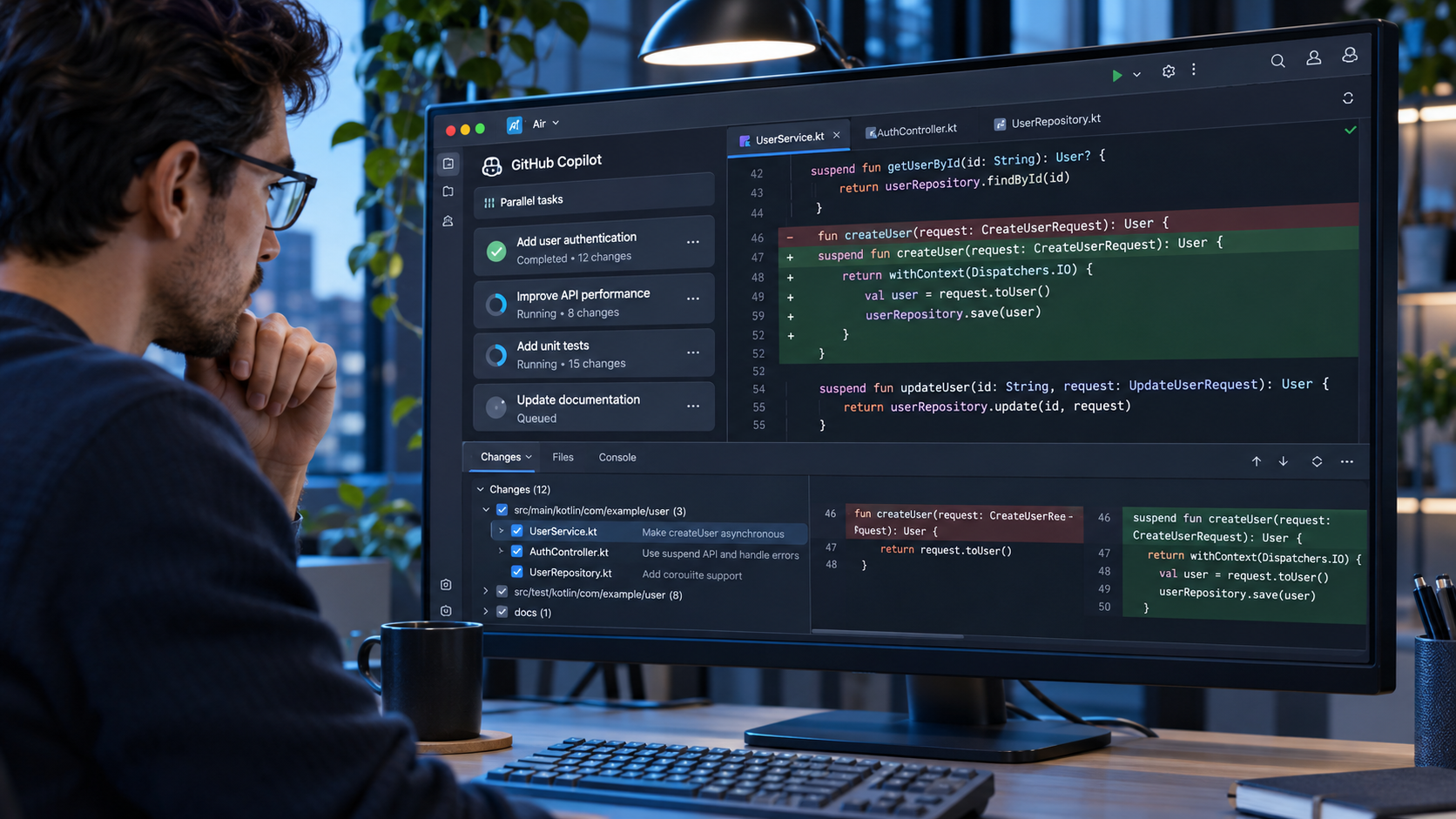
GitHub Copilot Now Works in JetBrains Air for Local and Cloud Coding Tasks
On this page
Developers can now choose GitHub Copilot as an AI coding agent inside JetBrains Air. The integration lets them assign coding tasks, follow progress and review changes alongside their code.
GitHub announced the integration on November 3, 2026. It supports local tasks in a JetBrains IDE and cloud tasks for eligible business organizations using Air Teams.
For beginners, the important distinction is where the work runs. A local task uses the developer’s own environment. An eligible cloud task runs in a separate environment and can be reviewed before the changes are brought into a project.
What Is JetBrains Air?
JetBrains Air is a workspace for managing AI coding agents. It helps developers start tasks, track several sessions and review proposed code changes.
The new integration uses the Agent Client Protocol, known as ACP, to connect GitHub Copilot to Air. In GitHub’s official announcement, GitHub says users can select Copilot in Air’s agent picker and use an existing Copilot subscription.
This does not replace the GitHub Copilot plugin. GitHub says developers can use Copilot in Air alongside the plugin and choose the workflow that suits a task.
What Can Copilot Do in Air?
A developer can describe a coding task, let Copilot work on it and inspect the result in context. Air can show multiple agent sessions, project context and changes beside the code.
For example, a developer might ask one agent to investigate a bug while another works on tests. The developer can then review each proposed change. Running tasks in parallel can save time, but it also makes careful review more important.
The integration is intended for coding work, not a guarantee that every generated change is correct. Users should still run tests and inspect what an agent changed.
How Do Local Tasks Work?
GitHub says users can install Air in a supported JetBrains IDE, select GitHub Copilot and connect their GitHub Copilot account. They can then start local coding tasks.
An existing Copilot subscription is needed. Exact access may also depend on the user’s plan, organization policy and the current Air setup.
What Is Required for Cloud Tasks?
Cloud tasks have extra requirements. GitHub says the user needs a JetBrains account in an Air Teams-enabled business organization, a GitHub Copilot subscription and an administrator who has enabled Copilot in Air.
From a browser, an eligible user connects GitHub under Air’s VCS provider settings, selects a repository and branch, chooses Copilot and sends a task. In the IDE, the user can choose the Cloud environment.
GitHub says cloud tasks run in a Docker container on a fresh virtual machine. Traffic goes through a proxy and task state does not carry over to the next cloud task. This separation is meant to keep cloud work from changing a developer’s local environment directly.
How Are Plans and Usage Handled?
GitHub says Copilot cloud tasks in Air use a GitHub Copilot plan rather than JetBrains AI credits. Air may check subscription or credit availability when a cloud task starts. If the plan is unavailable, the task can fail.
There are limits for teams to note. GitHub says users cannot choose for each task whether their personal or organization Copilot plan is charged. Air’s governance and analytics do not include Copilot usage, although administrators can disable Copilot through an Air policy.
Teams should check the plan and organization settings before relying on cloud tasks for routine work.
QueryFun Take: Review Is Still the Developer’s Job
The integration gives developers another place to manage Copilot work, especially when several coding tasks happen at once. It is most useful when the review view makes proposed changes easy to understand.
New users should start with a small local task, inspect the diff and run the project’s tests. The agent can help write code, but the developer remains responsible for what is merged and released.
Frequently Asked Questions
Is GitHub Copilot available in JetBrains Air?
Yes. GitHub announced availability on November 3, 2026.
Do I need a Copilot subscription?
Yes. GitHub says users select Copilot in Air and connect an existing Copilot subscription.
Can I use Copilot in Air for cloud tasks?
Eligible Air Teams business organizations can, if an administrator enables Copilot and the user has the required accounts and subscription.
Do cloud tasks use JetBrains AI credits?
GitHub says Copilot cloud tasks use a GitHub Copilot plan, not JetBrains AI credits.
Does Air replace the Copilot plugin?
No. GitHub says the two can be used alongside each other.